See What's Under the Hood
CaseBuddy handles the full intake conversation, extracts structured data, scores viability, and delivers case-ready summaries to your dashboard. Here's exactly how each piece works.
The Visitor Experience
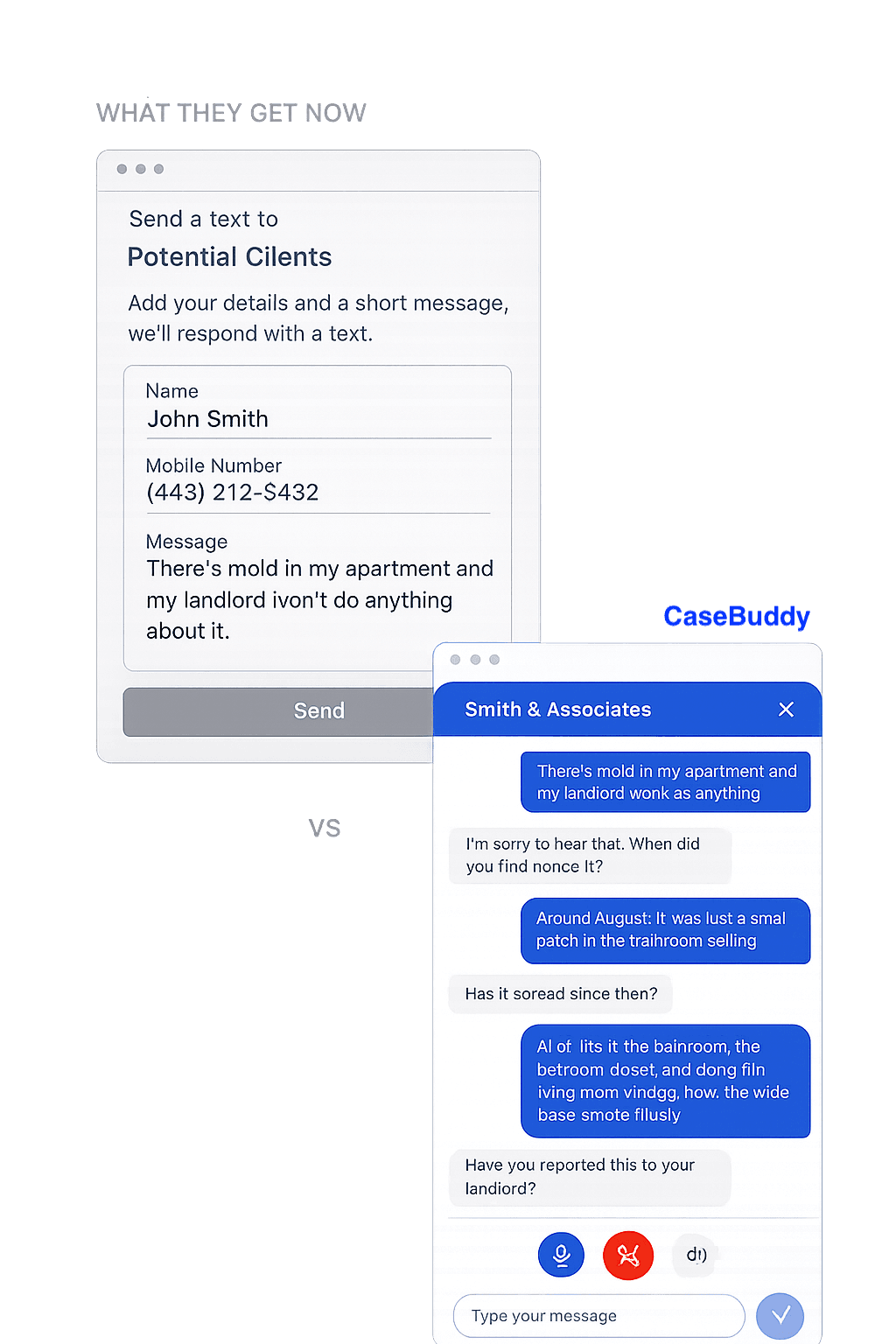
Visitors Get a Conversation, Not a Form
When a visitor clicks your consultation button, they choose voice or text.
On voice, the agent speaks with a natural-sounding AI voice you configure. Visitors talk through their situation the way they would on the phone with your firm. A typical voice intake runs five to ten minutes.
On text, the same agent runs the same conversation in chat.
Either way, the agent greets them in your firm’s voice, asks what brought them in, and follows up based on what they say. Visitors leave knowing they were heard, with confirmation that your firm will follow up.
Customization
Configure the Agent to Your Firm
The agent isn’t a generic chatbot — it’s a tool you shape. Before going live, you configure:
- Greeting and personality — the first thing visitors hear and the tone the agent maintains throughout.
- Voice — choose from natural-sounding voices and pick one that fits your firm.
- Focus areas — what the agent prioritizes asking about, based on your practice.
- Scoring criteria — the factors that determine case viability for your firm.
- Branding — colors, widget position, and appearance to match your site.
If something about your practice doesn’t fit the defaults, we’ll configure it with you during onboarding.
Intelligent Intake
A Real Conversation, Not a Script
Most chatbots are decision trees. If a visitor says something the tree doesn’t anticipate, the conversation breaks.
CaseBuddy understands what the visitor actually said and responds based on what makes sense for your practice. If a detail is volunteered early, it doesn’t get re-asked later. If something’s vague, the agent clarifies. If the case is time-sensitive, it moves faster.
Data Extraction
Every Conversation Becomes Structured Data
Every conversation is analyzed and delivered as structured fields — not a transcript to read.
Typical extracted fields:
- Parties involved (names, roles, relationships)
- Key dates (incident date, deadlines, filing dates)
- Documentation status
- Relevant facts specific to the practice area
- Safe contact preferences (when relevant — family law, employment, landlord-tenant)
- Urgency indicators
The full transcript is available when you need it.
Viability Scoring
Cases Sorted by What Matters to You
Not every intake is a case worth taking. Each consultation gets a score based on the factors you define — jurisdiction, case type fit, statute of limitations, documentation completeness, or whatever matters for your practice.
Cases sort by score. Nothing is discarded — everything is captured — but your attention goes where it counts.
Scoring is a prioritization signal, not legal analysis. The agent never evaluates cases for the visitor. Final case decisions stay with your firm.